

December 15, 2025
Managed IT Services for Alberta Private Career CollegesDiscover managed IT services for Alberta private career colleges. Boost security, compliance, and student success with a dedicated IT partnership.
Read Full Post%20(1).webp)
Usman Malik
Chief Executive Officer
December 7, 2025
For Canadian businesses, IT support isn’t just about fixing a broken printer or a slow computer. It’s about having a strategic partner in your corner, one that fuels your growth and shields you from the kinds of modern threats that can grind a business to a halt.
It’s time to move past the old, reactive "break-fix" model and embrace a proactive partnership that keeps your technology—and your business—humming along smoothly.

As your business picks up steam, so does its technological complexity. The simple setup that worked when you had just a handful of employees quickly becomes a major headache. Suddenly, you're juggling software updates, worrying about cybersecurity risks, and dealing with daily tech glitches that pull you away from what you should be doing: serving your customers and scaling your operations. This is where many organizations hit a wall.
Think of your business as a sophisticated aircraft on its way to a new destination. You're the pilot, focused on the big picture—the strategy, the flight path, the destination. Quality IT support is your skilled co-pilot. They aren’t just sitting there waiting for an alarm to go off; they're constantly monitoring the systems, helping you navigate turbulence, and ensuring every component is working perfectly for a safe and efficient flight. They handle the technical details so you can focus on steering the business forward.
Traditionally, many businesses saw IT as an unpredictable expense. A server crashes, a laptop dies—you call for help and brace for a hefty, unplanned bill. This reactive approach isn't just expensive; it leads to painful downtime, lost productivity, and frustration.
Modern IT support for small businesses, on the other hand, is built on a proactive foundation. Instead of waiting for things to break, a dedicated IT partner continuously monitors your systems to catch problems before they can disrupt your business. It's a fundamental shift in thinking that's essential for staying competitive and secure today.
A proactive approach transforms IT from a reactive cost centre into a strategic asset. It’s about investing in stability and efficiency to prevent the high costs of downtime and data breaches.
This model, often called managed IT services, provides a predictable framework for success. You can explore the many benefits of managed IT services to see how this approach can impact your bottom line. It’s about ensuring your technology is an enabler of growth, not a barrier to it.
Ultimately, the right IT partnership delivers key advantages:
When you hear "IT support," the first thing that probably comes to mind is someone fixing a broken computer. While that’s part of the job, modern IT support for small businesses has grown into something much more strategic. It's less like a single wrench and more like a complete, professional-grade toolkit, with each tool designed for a specific, vital function.
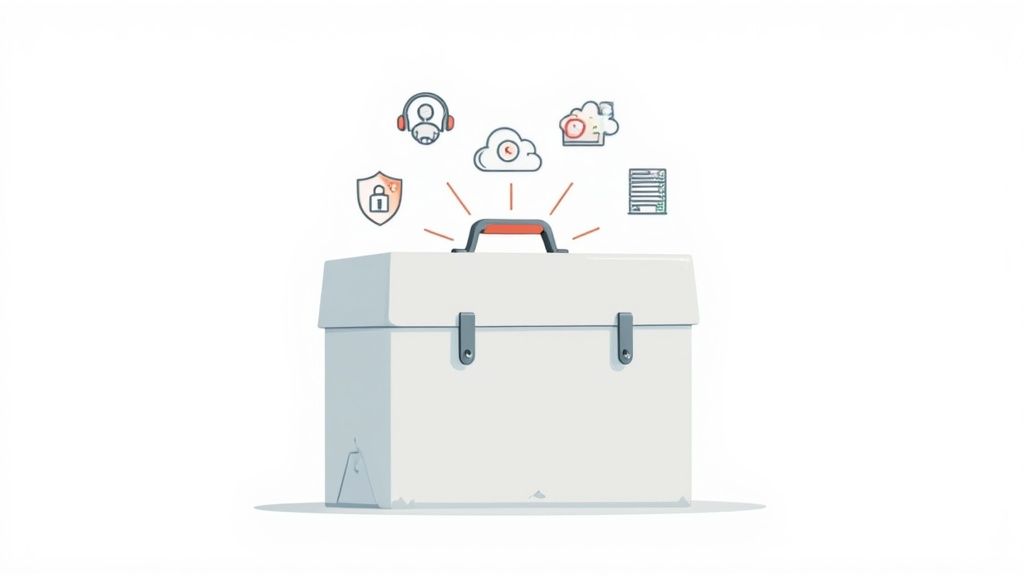
Getting to know what's inside this toolkit is the first step toward understanding what a potential IT partner can truly do for you. It helps you see beyond the simple "break-fix" model and appreciate how a complete tech strategy can become a powerful business advantage.
Let's unpack the essential services that make up a robust IT support plan.
The table below breaks down the key services you should expect from a comprehensive IT partner, explaining what each one does and, more importantly, how it directly helps your business succeed.
Each service builds on the others to create a strong, resilient, and efficient technology foundation for your business. Now, let's explore each one in more detail.
Managed IT Services is the bedrock of modern IT support. Instead of waiting for something to break, a managed service provider (MSP) constantly monitors and maintains your entire tech environment for a predictable monthly fee. Think of it as the difference between calling a mechanic after your car breaks down and having a dedicated pit crew that keeps the engine tuned 24/7 to prevent failures in the first place.
This all-in-one approach covers everything from network health checks and server maintenance to critical software updates and security patches. The goal is simple: find and fix potential issues before they cause expensive downtime, keeping your systems secure, up-to-date, and running at their best.
Even with the best proactive care, daily tech hiccups are bound to happen. Someone might forget a password, struggle with a new software feature, or find their computer suddenly running at a crawl. This is where Helpdesk Support comes in—it’s your team’s direct line to fast, effective solutions for those day-to-day IT headaches.
A professional helpdesk gives your employees a single, reliable point of contact. Every issue gets logged, prioritized, and solved efficiently by an experienced technician. This service is crucial for stopping minor disruptions from piling up and hindering your team's productivity.
In our connected world, cybersecurity is no longer optional. Cybercriminals are increasingly targeting small businesses, making robust protection an absolute must-have in any IT support plan. A good cybersecurity strategy is like a multi-layered fortress, defending your valuable data, finances, and reputation from a host of digital threats.
This goes far beyond just installing antivirus software. It’s a complete suite of protective measures:
Cloud services have fundamentally changed how modern businesses operate, offering incredible flexibility, scalability, and accessibility. Whether you're using Microsoft 365 for collaboration, storing files securely online, or running applications on cloud servers, these tools empower your team to be productive from anywhere.
Proper IT support ensures your cloud setup is configured for peak performance, security, and cost-efficiency. This includes everything from managing your migration to the cloud and ensuring different platforms work together seamlessly, to protecting your data according to Canadian privacy laws.
Want to see how all these pieces fit together? A deeper look at the core components of IT infrastructure can help you build a clearer picture of your business's technological foundation.
Picture this: a fire, flood, or a major cyberattack wipes out all of your critical business data. What happens next? Without a solid backup and disaster recovery (BDR) plan, the consequences could be devastating. BDR is your business’s insurance policy against the unexpected, ensuring you can get back on your feet quickly after a major incident.
This service involves more than just saving files. It means regularly backing up your data to a secure, off-site location and having a clear, well-tested plan to restore it when you need it most. It’s about having a proven strategy to get back to business with as little disruption as possible. And when your hardware reaches the end of its life, it’s also about knowing what IT Asset Disposition (ITAD) is to ensure old equipment is retired securely and compliantly.
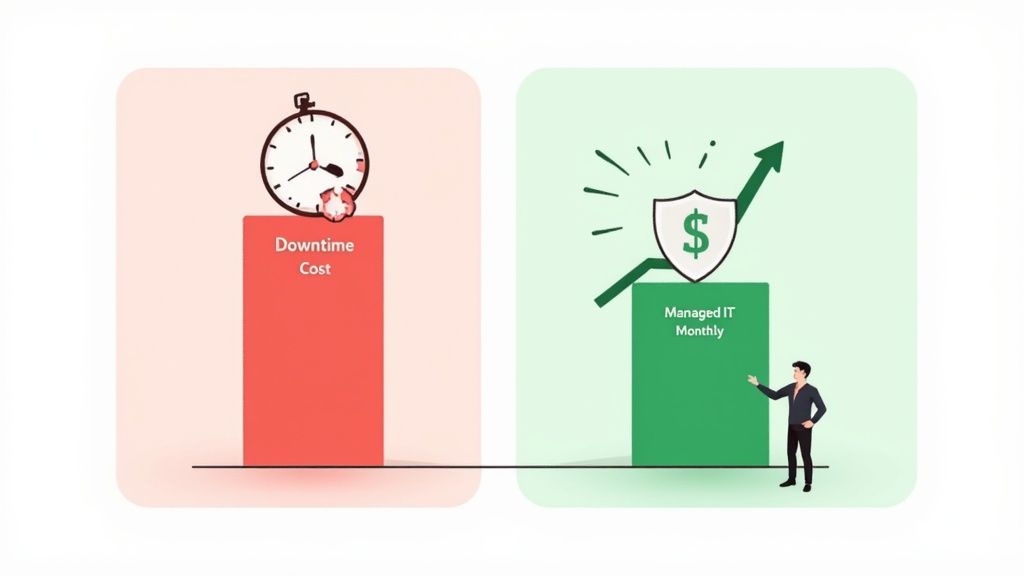
For many business owners, IT support gets filed away as just another "necessary expense." But looking at it that way misses the bigger picture entirely. The right IT partnership isn't a cost centre—it's a powerful investment that fuels your profitability, security, and stability.
It’s a common mistake to see IT as just one more line item on the balance sheet. Shifting that perspective is the first, most critical step. When you understand that proactive managed IT support is an investment, not a business expense, you start to see its true value. You can look past the monthly fee and begin measuring the real impact it has on your business.
The true value of professional IT support for small businesses shines brightest when you add up the costs it helps you avoid.
Let's walk through a real-world scenario. Picture a small professional services firm in Canada with 10 employees. Each person generates an average of $150 per hour in billable revenue. If a server dies or a cyberattack knocks them offline for just one day, the financial damage piles up fast.
Here’s a quick breakdown of the immediate revenue hit:
A single day of downtime could cost this firm $12,000 in lost revenue alone. That number doesn't even touch on the damage to client trust, missed deadlines, or the potential costs of data recovery and reputational cleanup.
When you stack that risk against the predictable monthly cost of a managed IT plan, the value becomes crystal clear. Preventing just one bad day can easily pay for several months—or even a full year—of proactive support.
While preventing downtime offers a massive ROI, the financial wins don't stop there. Professional IT support boosts your bottom line in several other ways.
First, increased employee productivity delivers a return every single day. When your team isn't fighting with slow systems, glitchy software, or spotty Wi-Fi, they can focus on their jobs. Even saving each employee 15 minutes per day adds up to hundreds of productive hours reclaimed across your company every year.
Second, enhanced data security is a massive financial shield. The average cost of a data breach can be catastrophic for a business, often leading to huge fines, legal bills, and customers walking away. Proactive cybersecurity isn't an expense; it's an investment in preventing a disaster that could sink your business.
Finally, predictable monthly costs make budgeting a breeze. A managed services model swaps out surprise, high-cost repair bills for a simple, fixed monthly fee. This gives you total control over your IT spending and lets you plan for growth with confidence. Knowing how to calculate ROI helps justify these investments and shows exactly how they benefit your business. Once you quantify these gains, you can clearly see how strategic IT support becomes an engine for growth.
When your industry is bound by strict rules, generic it support for small businesses just won't cut it. For Canadian businesses in fields like healthcare, finance, and law, a one-size-fits-all approach to technology isn’t just ineffective—it’s a massive risk. These sectors operate under specific compliance frameworks that dictate exactly how your data must be handled, stored, and protected.
Getting this wrong isn't a minor slip-up. It can lead to crippling penalties, including hefty fines, the loss of your licence, and irreversible damage to the reputation you’ve worked so hard to build. This is why specialized, industry-aware IT support is non-negotiable. Your IT partner must be fluent in the language of your industry's compliance needs.
In the Canadian healthcare sector, nothing is more important than protecting patient information. Provincial laws like Ontario’s Personal Health Information Protection Act (PHIPA) set incredibly strict rules for how patient data is collected, used, and shared. An IT provider who doesn’t understand these regulations could easily leave a clinic exposed to huge compliance violations.
Picture a dental clinic in Ontario. A savvy IT partner would immediately recognize the demands of PHIPA and put the right solutions in place, such as:
This focused approach means the clinic not only protects its patients but also avoids the severe fallout from a data breach.
The financial and legal industries are built on a bedrock of trust and confidentiality. Clients hand over their most sensitive financial and personal details, and the standards for protecting that data are sky-high. A data breach at a law firm or an accounting practice could be catastrophic, shattering client trust that took years to earn.
An IT partner with experience in these fields knows exactly how to build the necessary digital fortress. This involves deploying advanced firewalls, multi-factor authentication, and secure file-sharing portals that prevent unauthorized access to sensitive case files or financial records. They also understand why creating detailed data access logs is so critical, as these are often mandatory for regulatory audits.
Choosing a provider with proven industry experience is crucial for avoiding costly compliance failures and building client trust. Their expertise becomes a core part of your risk management strategy, safeguarding both your data and your reputation.
On top of that, these specialized providers can help you navigate the tricky landscape of data residency, ensuring all client information stays on Canadian soil to comply with national and provincial privacy laws. It’s a critical detail a generic IT provider might miss, but it's essential for maintaining compliance and client confidence. To properly manage these intricate requirements, it's vital to explore comprehensive compliance solutions designed specifically to address industry regulations. This proactive step helps ensure your business stays secure and fully compliant, letting you focus on your clients without the constant worry of a regulatory misstep.
Picking an IT partner is one of the most important decisions you'll make for your business. This isn't just about hiring another vendor; you're bringing someone into the inner circle of your company. They'll have deep access to your operations, your data, and your vision for the future.
The right partner can be a massive catalyst for growth. The wrong one can lead to costly downtime, security risks, and frustration.
To make a smart choice, you need to look beyond the monthly price tag. A real partnership is built on a foundation of trust, proven skill, and a genuine understanding of what you’re trying to achieve.
First things first: you need to know if a potential provider actually has the technical skills they claim. Don't just take their word for it—ask for proof. Look for recognized industry certifications, as they show a real commitment to professional standards and staying current.
A few key credentials to look for include:
A provider that invests in their team's training is one that’s serious about keeping up with technology and security. That’s exactly the kind of partner you want for the long haul.
The Service Level Agreement, or SLA, is the most important document you'll sign. It’s the contract that lays out exactly what you can expect, defining critical metrics like how fast they'll respond and when problems will be fixed. A vague or missing SLA is a major red flag.
A solid SLA should clearly spell out:
An SLA isn’t just legal jargon; it’s a promise. It establishes clear expectations and holds your provider accountable for delivering the level of IT support for small businesses you’re paying for.
Finally, you need to see evidence of their past work. Authentic client testimonials and detailed case studies are worth their weight in gold. They prove the provider has a track record of getting real results for businesses like yours. If they can't show you any success stories, you have to ask why.
Once you’ve narrowed down your list, it's time to dig in with some pointed questions:
This kind of structured approach helps you find a partner who truly gets your business. As you look at your options, it's useful to understand the broader market of providers. Reading a guide on choosing an IT outsourcing company can give you even more valuable perspective.
You’ve done your research, asked the hard questions, and finally signed on the dotted line with a new IT provider. It’s a huge step forward for your business, but what happens next? A professional and well-planned onboarding process is the bedrock of a successful, long-term partnership, designed to make the transition so smooth you’ll barely notice it—except for the improvements, of course.
A top-tier partner won’t just show up and start plugging things in. They’ll take you on a methodical journey to fully integrate their services with your operations. This process removes guesswork and sets the stage for a proactive, strategic relationship right from day one. It’s all about building a deep understanding of your business so they can become the skilled co-pilot you need to navigate technology.
The journey always begins with a comprehensive assessment of your current IT infrastructure. This isn't just a quick peek at your computers; it's a deep dive into every component of your technology environment. Technicians will analyze your network, servers, software, security protocols, and existing hardware to get a complete picture of your setup—what’s working, what isn’t, and where the hidden risks are lurking.
This phase is absolutely critical. It immediately shines a light on vulnerabilities and opportunities for quick wins. An initial security audit, for instance, can uncover and close gaps that might have left your business exposed for months. This meticulous fact-finding ensures that every action taken from this point forward is based on solid data, not just assumptions.
The visualization below outlines the key evaluation steps you’ll go through before you even get to onboarding, highlighting how important a structured approach is when choosing a partner.
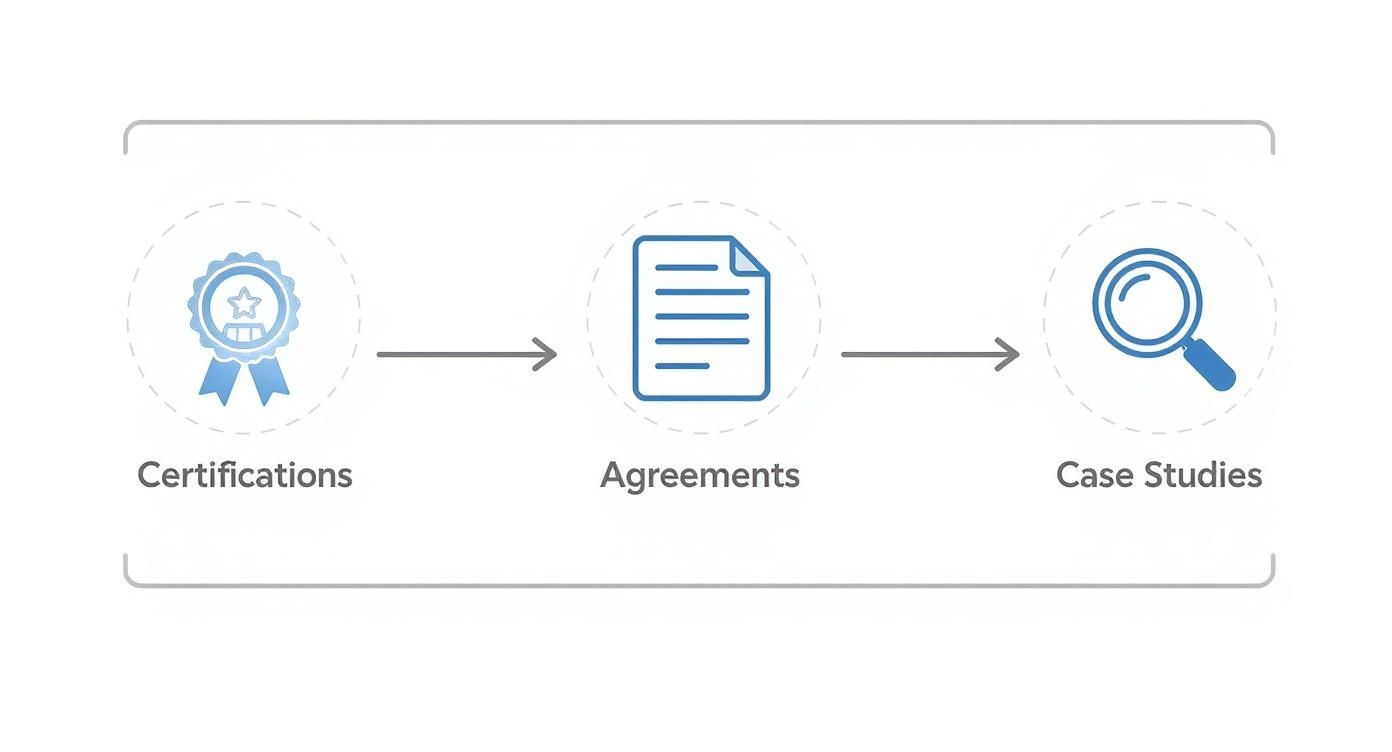
This kind of process flow—from checking certifications to reviewing case studies—ensures you pick a partner who knows how to execute a thorough and professional onboarding.
Once the assessment is complete, your new IT partner will develop a strategic technology roadmap. Think of this document as a bridge between your IT needs and your long-term business goals, ensuring technology becomes an engine for your growth instead of an anchor holding you back. It answers the big question: "Where do we want to be in three years, and what technology will help get us there?"
A professional onboarding is so much more than a technical setup; it’s the strategic alignment of your technology with your business objectives. This methodical approach is what turns your IT from a reactive cost centre into a proactive driver of growth and stability.
With a clear strategy in place, the real technical work begins. This typically includes several key steps:
This structured onboarding ensures nothing gets missed, setting a rock-solid foundation for a productive and lasting partnership.
Choosing the right partner for your IT support is a big decision, and it naturally brings up many questions. Getting clear, straightforward answers is the best way to make a confident choice that fits your business now and supports your goals for the future.
Here are a few of the most common questions we hear from business leaders just like you.
What’s the real difference between managed IT services and the old break-fix model? The easiest way to think about it is to compare it to your health.
The break-fix approach is like only going to the emergency room when something is seriously wrong. It's completely reactive, always stressful, and the bills can be unpredictable and huge. You're paying to put out fires, not prevent them.
Managed services, on the other hand, are like having a dedicated wellness team focused on preventative care. We monitor your IT systems constantly, address small issues before they snowball into major problems, and keep everything running smoothly behind the scenes. This proactive model is far better for budgeting, stability, and the overall health of your business.
How much should a business set aside for professional IT support? While the final number varies, most modern IT providers use predictable pricing models, such as a flat monthly fee per user or per device. This structure makes it incredibly easy to forecast your expenses without ever worrying about a surprise invoice.
It’s tempting to just pick the cheapest option, but value is so much more important than price. The lowest bid often comes with hidden costs—think slower response times, limited services, or a lack of cybersecurity expertise—which can cost you far more in downtime and risk down the road.
Instead of focusing only on price, look at the services included. Does the plan cover 24/7 monitoring, robust cybersecurity protection, and strategic guidance? You want a comprehensive solution that truly protects your operations and helps your business grow.
Platforms like Microsoft 365 seem straightforward on the surface. Can’t you just manage them in-house? While the basic tools are user-friendly, turning them into a secure, optimized, and compliant business asset requires a level of technical expertise that goes well beyond setting up email accounts.
An expert IT partner handles all the hidden complexities you might not even know exist, including:
A professional partner transforms Microsoft 365 from a simple productivity suite into a powerful, secure, and compliant foundation for your entire operation.
Ready to stop worrying about IT and start focusing on your business? At CloudOrbis Inc., we provide proactive, strategic IT support that fuels growth and protects your bottom line. Learn how our managed IT services can give you peace of mind.
December 15, 2025
Managed IT Services for Alberta Private Career CollegesDiscover managed IT services for Alberta private career colleges. Boost security, compliance, and student success with a dedicated IT partnership.
Read Full Post
December 15, 2025
Small business it support edmonton: A Guide for Local Business LeadersDiscover small business it support edmonton options with clear pricing, expert guidance, and efficient IT solutions for growth.
Read Full Post
December 14, 2025
Small business it support edmonton: A Guide for Local Business LeadersDiscover small business it support edmonton options with clear pricing, expert guidance, and efficient IT solutions for growth.
Read Full Post
