

December 15, 2025
Managed IT Services for Alberta Private Career CollegesDiscover managed IT services for Alberta private career colleges. Boost security, compliance, and student success with a dedicated IT partnership.
Read Full Post%20(1).webp)
Usman Malik
Chief Executive Officer
December 12, 2025

Expert IT support for private career colleges in Alberta isn't just about fixing computers. It’s about protecting your licence to operate and ensuring your students can succeed. For your college, a specialized IT strategy is the backbone of managing sensitive data, keeping your Learning Management System (LMS) online, and meeting the strict reporting mandates from the province.
Private career colleges in Alberta are in a unique position where technology, student outcomes, and government oversight are all tied together. This isn't like a standard retail shop or a corporate office. Here, your very licence can hinge on how reliable and secure your IT systems are.
A generic, one-size-fits-all IT support model just doesn't cut it when the stakes are this high.
This kind of approach often misses the specific pressures you face every day. A network outage during peak registration isn't just a minor hassle—it can mean lost revenue and a damaged reputation. An LMS failure during final exams? That can directly interfere with student grades and create an administrative nightmare.
The real issue comes down to the strict rules your college must follow. In Alberta, private career colleges fall under the Private Vocational Training Act. This law requires any school offering vocational programs over $1,000 to be licensed and stick to tight reporting standards to keep that licence.
By law, you must submit annual reports covering key metrics like enrolment, graduation rates, and, most importantly, job placement rates. The government requires that your graduation and job placement numbers stay above 70% over consecutive reporting periods. If they don't, your program’s licence could be suspended or even cancelled. You can dig into the specifics on the Government of Alberta's official page.
A system failure during a critical reporting period could corrupt the very data you need to prove your college's success, putting your licence at direct risk. Your IT infrastructure is not just a back-office utility; it's a foundational pillar of your compliance strategy.
To give you a clearer picture, here's a breakdown of the core IT needs and how they directly affect your college's ability to operate and stay compliant.
As you can see, each piece of your IT setup plays a direct role in keeping your doors open and your programs running smoothly.
A generic IT provider might be great at fixing a slow printer, but do they grasp the consequences of a compromised Student Information System (SIS)? Specialized IT support for the education sector does. They know that every technical decision can impact your students and your legal standing.
This specialized approach involves:
Choosing the right IT partner means finding a team that understands these nuances. It's not just about outsourcing your tech problems; it's about securing a strategic asset that contributes directly to your operational success, regulatory survival, and the ability to deliver on your promise to students.
Before you can think about a new direction for your college's technology, you need an honest, unfiltered look at where you stand right now. A thorough self-assessment of your current IT setup is the non-negotiable first step. This goes way beyond listing your computers and servers; it’s about connecting every piece of tech directly to your day-to-day operations and, just as importantly, your regulatory obligations.
Think of this audit as a way to find the cracks in the foundation before they turn into a full-blown crisis. It's less about technical specs and more about asking tough, practical questions. For example, what's your actual, documented recovery plan if your Student Information System (SIS) goes down during the busiest week of registration? Can your campus network genuinely handle every single student streaming video lectures at once, or will it just grind to a halt? Answering these questions gives you a real-world baseline to build your IT strategy on.
Start by taking a clear-eyed inventory of the technological pillars holding up your daily operations. This isn't just a job for your IT person; get your administrators and academic leaders in the room. They're on the front lines and know the real-world usage and pain points better than anyone.
Your evaluation should zero in on several critical areas:
This initial review will give you a snapshot of your strengths and weaknesses. For a more detailed look, our guide on the core components of IT infrastructure can help you understand how these pieces all fit together.
The infographic below brings home the cascading risks of IT failure, showing how a seemingly simple LMS outage can spiral into serious data and compliance nightmares.
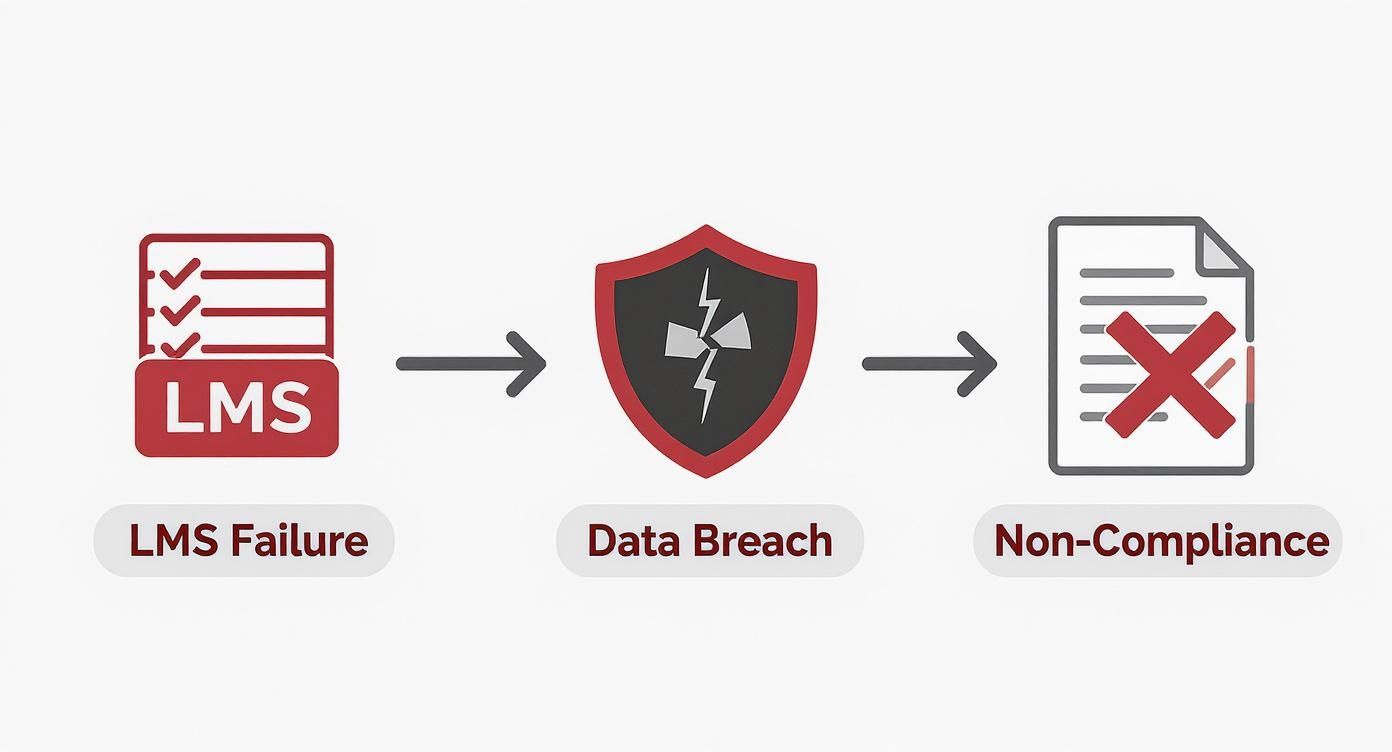
This process makes it painfully clear just how interconnected your systems are. A single point of failure can put everything from student learning to your legal standing in jeopardy.
Once you've completed your audit, the next move is to translate those findings into a detailed requirements document. This document is your single most powerful tool when you start talking to potential partners for IT support for private career colleges in Alberta. Instead of asking for vague "IT help," you can hand them a clear, specific list of needs grounded in your reality.
A well-prepared requirements document completely changes the conversation with potential IT providers. You're no longer just asking, "What can you do for us?" You're stating, "Here is what we need to achieve—how will you help us get there?"
This document needs to be clear, concise, and focused on outcomes. For instance, don't just say, "We need better internet." Specify your need: "We require a network capable of supporting 300 concurrent users streaming HD video with 99.9% uptime." That level of detail ensures you find a partner who truly understands the demands of an educational environment.
This need for specialized tech expertise is growing everywhere. The number of information systems specialists in Alberta jumped from about 15,500 in 2012 to 23,500 in 2022, a clear sign of how crucial this role has become across all sectors, including ours. You can dig into more data on Alberta's professional services sector on Job Bank.
Choosing the right Managed IT Service Provider (MSP) is a long-term strategic decision, not just another line item in your budget. This is about finding a partner who genuinely understands the unique pressures of Alberta's educational landscape and can act as a true extension of your team.
The right provider will do more than just fix problems; they will actively contribute to your college's growth, compliance, and stability.
This selection process is your chance to find a team that speaks your language. They should know what SIS and LMS mean and understand the weight of the Private Vocational Training Act without needing a crash course. You need a partner who gets that system downtime can directly threaten your ability to report that mandated 70% job placement rate—putting your very licence on the line.

When you start vetting potential partners, it's easy to get sidetracked by the monthly cost. But the cheapest option is rarely the best value, especially when you're dealing with sensitive student data and rigid regulatory demands. Your questioning needs to go much deeper to uncover a provider's true capabilities and experience.
The goal isn't just to find a vendor; it's to find a strategic ally. A provider's familiarity with educational compliance and cybersecurity for student data is far more valuable than a low-ball quote that leaves you vulnerable.
To get a clear picture of what a potential MSP truly offers, your vetting process should be structured and thorough. Using a checklist approach during your interviews is a great way to compare potential partners effectively.
Here's a practical checklist to help you compare potential IT partners and ensure they meet the specific needs of an educational institution like yours.
This checklist isn't exhaustive, but it provides a solid foundation for your interviews, helping you cut through the sales pitch to find a partner who truly gets it.
The Service Level Agreement (SLA) is the contract that defines your relationship, so don't just skim it. Look for concrete, measurable commitments. What are their guaranteed response times for critical issues, like your SIS being down? How do they define "critical"? A strong SLA provides clarity and holds your partner accountable.
For a deeper dive into what to look for, exploring guides on choosing an IT outsourcing company can offer valuable frameworks for this evaluation.
When evaluating potential partners or even internal tools, a thorough help desk software comparison is also useful. It helps you understand the tools your potential partner might use to manage and resolve support requests for your college efficiently.
Finally, insist on checking references. Speak to other educational institutions they work with. Ask pointed questions about their onboarding process, responsiveness, and strategic input. A seamless onboarding process is a tell-tale sign of a well-organized and experienced provider. A partner who invests time upfront to understand your college's unique workflow and challenges is one who is prepared to support your long-term success.
Alright, you’ve done the legwork of finding your college's IT gaps and picking the right partner. Now comes the exciting part: turning that strategy into a real, working system. This is where we build the secure, compliant, and efficient tech foundation your college needs to thrive.
Think of this as more than just installing software. It’s about creating a connected ecosystem where every piece—from student records to the campus Wi-Fi—works in harmony to protect data, power your educational programs, and make your admin team’s life easier. Getting this hands-on implementation right is what top-tier IT support for private career colleges in Alberta is all about.
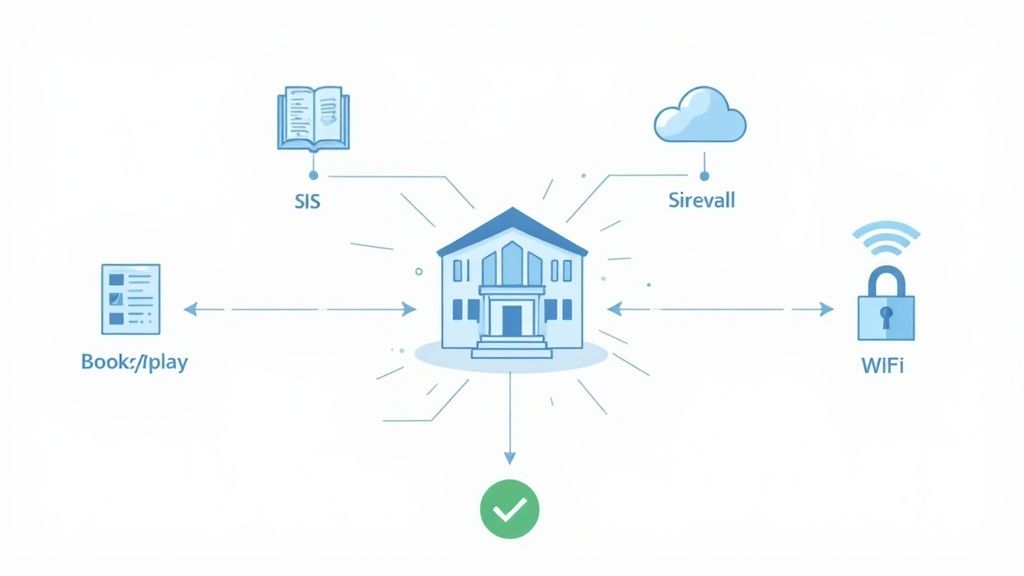
Your Student Information System (SIS) is the heart of your college, holding the sensitive data you rely on for provincial reporting. Securing it isn't optional—it's mission-critical. The first order of business is locking down access so only authorized staff can see or touch student records.
This means going beyond basic passwords and implementing multi-factor authentication (MFA) for every single staff account. A good IT partner will also help you set up role-based access controls. For instance, an instructor only needs to see their class lists, while an administrator requires broader access for government reporting. This "principle of least privilege" dramatically cuts down your risk of both accidental data leaks and malicious breaches.
Your Learning Management System (LMS) and collaboration tools like Microsoft 365 are where the teaching and learning actually happen. When implemented correctly, these platforms are not just functional but also secure and intuitive for both students and faculty.
Getting this right involves a few key moves:
An optimized digital learning environment does more than just deliver course content. It creates a seamless, secure, and collaborative space that enhances the educational experience while protecting your college's data and reputation.
Beyond the core systems, a secure tech ecosystem depends on great documentation. You can learn more about effective software documentation best practices to ensure your staff can use your systems correctly, cutting down on support tickets and simple human error.
Think of your campus network as the digital highway for your college—it needs guardrails and security checkpoints. A properly secured network is built with modern, business-grade hardware and smart configurations.
It all starts with a robust firewall that actively scans traffic and blocks threats before they can get inside. Network segmentation is another crucial step. This practice creates separate virtual "lanes" for students, staff, and your critical administrative systems. So, if a student's laptop gets infected with malware on the guest Wi-Fi, that infection can't spread to your SIS or financial records.
Securing your network also means deploying endpoint protection on all college-owned computers and laptops. This is far more than old-school antivirus; modern solutions actively hunt for suspicious behaviour, providing a much stronger defence against today's cyberattacks. This layered security approach is a key part of our compliance solutions, built to protect schools from the ground up.
No matter how strong your defences are, things happen. Hardware fails, people make mistakes, and ransomware attacks are a constant threat. A solid data backup and disaster recovery (BDR) plan is your ultimate safety net, ensuring you can get back on your feet with minimal downtime or data loss.
For a career college, a strong BDR strategy must include:
With this proactive approach in place, you can rest easy knowing that if the worst happens, you can restore your operations quickly, hit your reporting deadlines, and keep serving your students without a full-blown crisis.
Getting your new tech ecosystem up and running is a huge milestone, but the work doesn't stop there. Now, the focus shifts to the day-in, day-out partnership with your IT provider. This is all about making sure you’re getting the value you signed up for and that your technology is actively fuelling your college's mission.
It’s time to leave the old break-fix model in the dust—the one where you only call for help when a laptop dies or the Wi-Fi goes down. The goal now is a truly proactive partnership. Your IT support should feel like a strategic asset, constantly working behind the scenes to head off problems, button up security, and make life easier for your students and staff.
A solid IT partnership is built on clear, consistent communication. You’ll want to set up a regular rhythm for meetings—quarterly business reviews are a great place to start. This is your chance to zoom out from the daily helpdesk tickets and talk strategy: what's working, what isn't, and what's next on the horizon.
These reviews need to be powered by data, not just anecdotes. Your IT partner should be coming to the table with reports that are easy to digest and actually mean something. Don't settle for vague updates; you need tangible proof that your investment is delivering.
At a minimum, your reports should cover:
To really gauge success, you have to track Key Performance Indicators (KPIs) that connect directly to your college's goals. Generic business metrics just won't cut it. For a private career college in Alberta, your KPIs should tell a story about efficiency, security, and the student experience.
The most powerful KPIs are the ones that show a real shift from putting out fires to preventing them in the first place. Seeing a steady drop in the same old support tickets popping up again and again is a much better sign of a healthy partnership than just fast response times.
Here are a few performance indicators worth tracking:
This is where tools for remote monitoring and management become so critical. They give your IT partner the ability to see and fix potential issues long before anyone on your campus even notices something is wrong.
The cybersecurity world never sleeps, and because you hold so much sensitive student data, your college is a prime target. A comprehensive security audit once a year is the bare minimum. A great partner, however, will be running smaller, targeted vulnerability scans much more frequently.
These regular check-ups make sure your defences are keeping up with the latest threats. They should include things like penetration testing—where they simulate a real-world attack to find weak spots—and a thorough review of who has access to what, ensuring old employee accounts are locked down tight.
This proactive security stance is more important than ever. With enrolment in private career colleges jumping by over 30% in the last five years, regulatory oversight is also increasing. The Private Career College Registry is keeping a close eye on colleges to ensure they meet minimum graduation and job placement rates of over 70%. As detailed in this insightful article, maintaining these standards is crucial. A data breach or a major system failure could directly threaten your ability to report these key metrics, making ongoing security a core part of your compliance strategy.
When navigating specialized IT for your college, a lot of questions can come up. Here are some clear, straightforward answers to the most common queries we hear from private career college administrators across Alberta.
That's the million-dollar question, isn't it? The truth is, there's no magic number. Your IT budget really depends on your college's size, how many students you have, and the complexity of your programs.
A common way to structure this is with a per-user, per-month fee for managed services, which often lands somewhere between $50 and $150 per staff member. But that's just one piece of the puzzle. For a small-to-medium college, a complete IT budget—covering everything from services and software licensing to hardware replacement cycles—usually works out to be 2% to 5% of your total annual operating budget.
The only way to get a real number is to have a thorough audit done. A proper quote should be based on your specific needs for cybersecurity, compliance reporting, data backups, and helpdesk support. This approach helps you avoid nasty surprises down the road.
If I had to pick just one, it’s not a single tool, but a powerful combination: robust access control paired with continuous security awareness training for your staff. Your student data is a prime target for cybercriminals, so protecting it has to be your top priority.
First, implement multi-factor authentication (MFA) across every critical system you have—your email, Student Information System (SIS), and Learning Management System (LMS). This simple step dramatically cuts the risk of someone getting in with a stolen password.
Then, you back that up with practical, ongoing training that teaches your team how to spot and report phishing attempts. When you combine a strong technical control like MFA with a savvy team, you create a powerful human firewall. Given the data protection mandates in the Private Vocational Training Act, this two-pronged approach isn't just best practice; it's essential.
Absolutely. A specialized IT partner is a huge asset for staying compliant. Now, they won't be filling out the government forms for you, but they are responsible for the systems you rely on to gather that data accurately and securely.
They make sure your SIS and LMS are correctly set up to track vital metrics like enrolment numbers, student attendance, and grades. They can also provide security audit logs and system health reports. Think of these documents as proof that you're doing your due diligence to protect student information—a key part of showing regulators in Alberta that you’re governing your college responsibly. When you're talking to a potential partner, make sure you ask about their direct experience with other educational institutions.
An IT provider who gets educational compliance doesn't just manage your tech; they manage the systems that protect your college's licence to operate. Their expertise is a core part of your risk management strategy.
Moving to a hybrid model—with students both on-campus and online—dramatically dials up the complexity of your IT. Your support strategy now has to stretch seamlessly from your physical campus to the cloud to give everyone a consistent, reliable experience.
Here are a few things that suddenly become non-negotiable in a hybrid world:
Your IT partner has to have real, proven experience managing these kinds of blended environments. It’s the only way to deliver a learning experience that's secure, equitable, and effective for everyone involved.
At CloudOrbis Inc., we provide the specialized IT support private career colleges in Alberta need to ensure compliance, protect student data, and deliver a superior educational experience. Discover how our managed IT services can fortify your college's technology foundation.
December 15, 2025
Managed IT Services for Alberta Private Career CollegesDiscover managed IT services for Alberta private career colleges. Boost security, compliance, and student success with a dedicated IT partnership.
Read Full Post
December 15, 2025
Small business it support edmonton: A Guide for Local Business LeadersDiscover small business it support edmonton options with clear pricing, expert guidance, and efficient IT solutions for growth.
Read Full Post
December 14, 2025
Small business it support edmonton: A Guide for Local Business LeadersDiscover small business it support edmonton options with clear pricing, expert guidance, and efficient IT solutions for growth.
Read Full Post
